


QR ordering without an app
Guests scan a QR code and order and pay on their own phone, in the browser and without an app.
QR code ordering, also called table ordering, lets guests order and pay from their table on their own phone, in the browser and without an app. With a supported POS, orders go to your POS through the integration; without a POS integration you use kitchen screens or receipt printers. Before you choose, check that your POS is supported, which payment provider you use and whether guests order at the table, at the bar or both. Jamezz delivers and supports QR ordering throughout the UK, with local partners, and can also deliver and support it in Ireland. QR ordering is one part of a restaurant ordering system, alongside kiosks, tablets and a webshop.
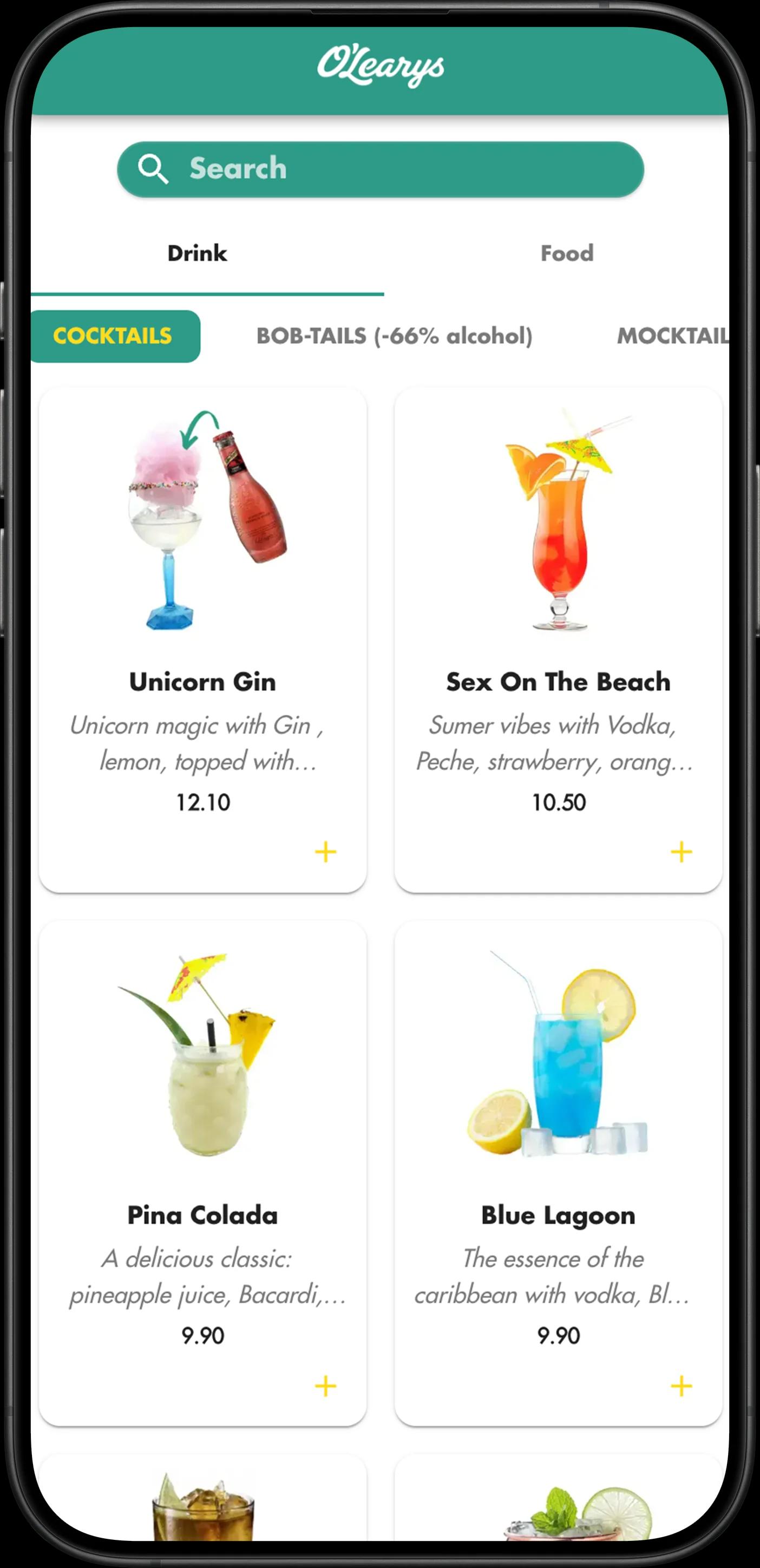
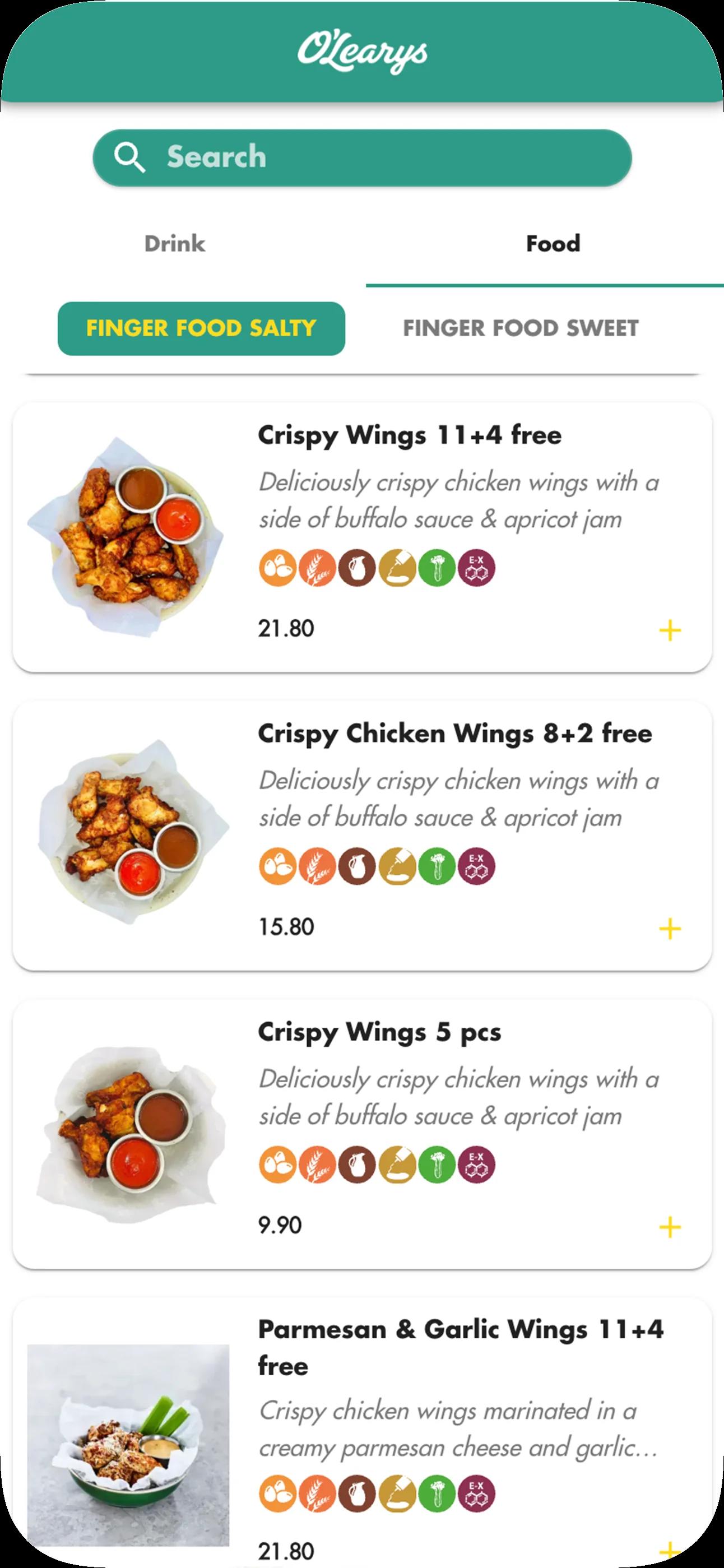
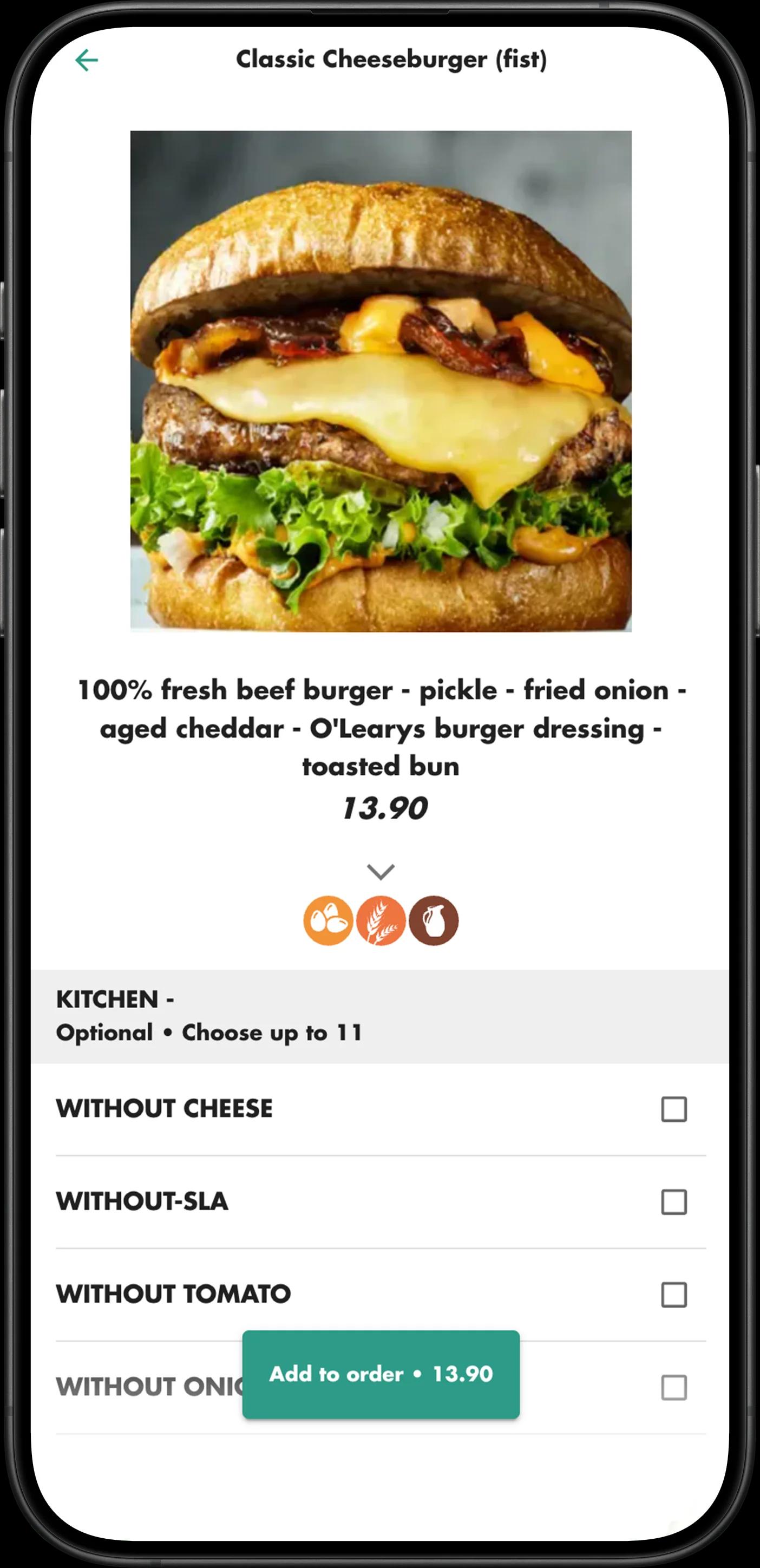
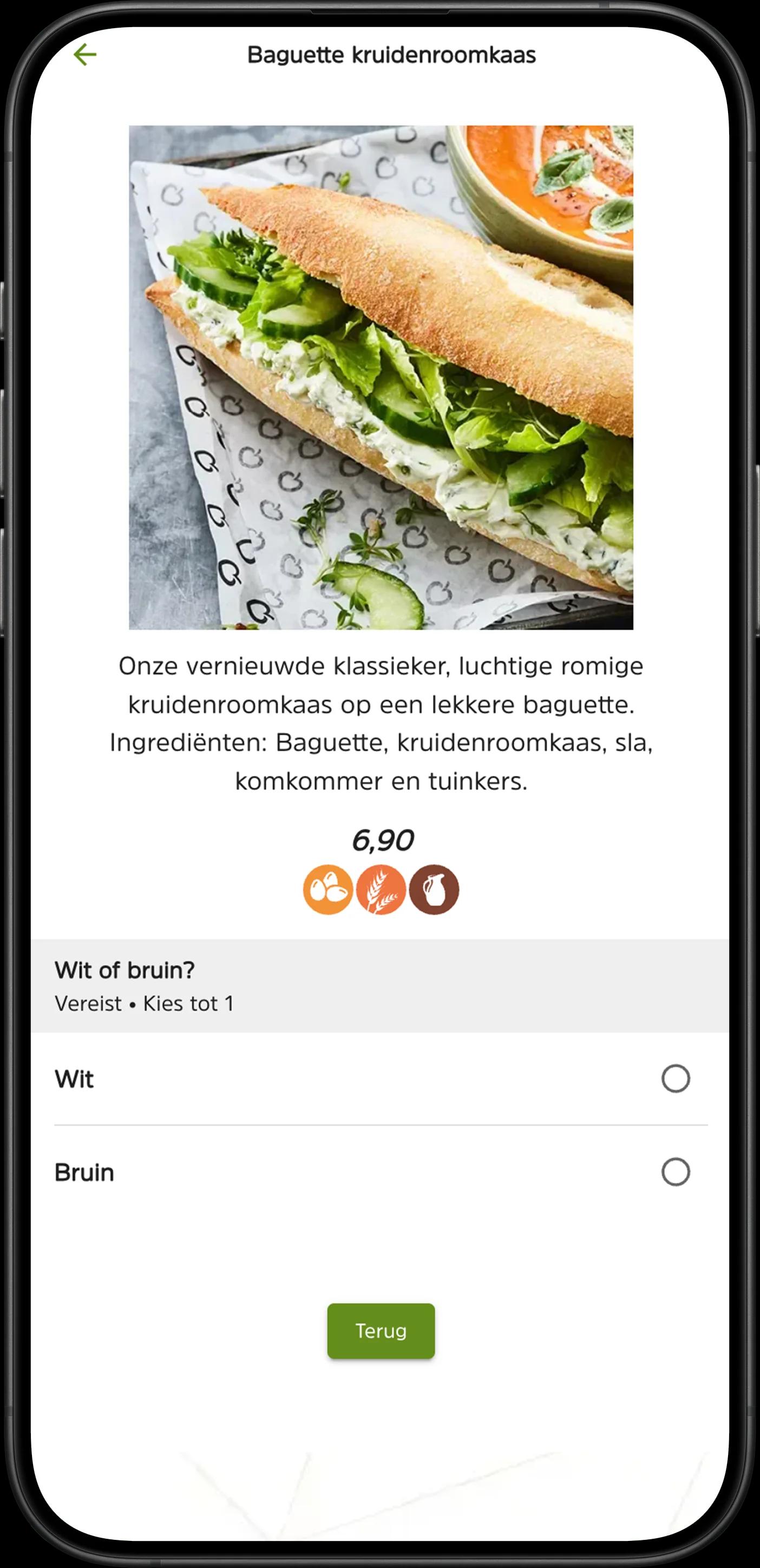
Scan to order is mobile ordering without an app: guests scan, order and pay on their own phone.
Rolling it out step by step? Read the QR ordering implementation guide
With table ordering, you put a QR code on the table. Guests scan it with their own phone, browse the menu, order and pay straight away. The order arrives on your kitchen display or kitchen printer; with a POS integration it goes through your POS by default. Which payment methods guests see runs through your payment provider: it depends on what the provider offers and what you switch on. Whether guests pay straight away is something you set per table. Through the same QR code, guests can also call the waiter, ask for the bill or pay the open table bill, and you can switch on tipping. Jamezz charges 0% commission per order; you pay a subscription.
Prefer a tablet on the table? See tablet ordering
Want to start with a menu only, without ordering? See the digital menu with QR code
QR ordering lets guests order and pay from their own smartphone, with smart digital upselling suggestions along the way.
QR ordering in hospitality means: guests scan to order and pay at the table via their smartphone — contactless ordering for your venue. Your team can focus on preparing, serving and hospitality, also during staff shortages.
No cookie-cutter menu. Your logo, your colours, your identity.
Whether it's a quiet afternoon on the terrace or a full house inside: the digital ordering system scales with you. Table numbers and areas are fully adjustable.
Change a price in a supported, connected POS (e.g. Lightspeed or unTill), and the QR menu picks up the change through the integration.
Jamezz is used at 2,000+ hospitality locations in 25+ countries; QR ordering among others at restaurants, terraces and hotels.
Jamezz QR code ordering lets guests order and pay on their own phone, with relevant extras during ordering. Guests need no app, menus are available in 25+ languages, and Jamezz connects with supported POS systems such as Lightspeed and unTill.
During ordering, Jamezz suggests relevant extras such as sauces or drinks, without sales pressure.
Guests order and pay independently via their smartphone.
Guests place their order themselves via the QR code, so staff can focus on preparing, serving and hospitality.
Guests scan the QR code and instantly open the digital menu in their browser.
You choose: a QR code per table, one general QR code where guests enter their table or room number, or a text message when the order is ready, saying where to collect it.
With a supported, connected POS, orders arrive in the POS and Jamezz retrieves the menu from it.
Results vary by location, depending on menu and visitor flow.
Jamezz works across all types of hospitality and processes around 25 million orders per year. Restaurants, cafés, hotels and leisure venues in 25+ countries, among others, use Jamezz QR ordering every day for mobile order and pay, connected to a supported POS.
Jamezz QR ordering connects with supported POS systems: Jamezz retrieves the menu from the POS and places the orders in it.
The choice depends on your concept and space.

Guests scan to order and pay at table directly from their smartphone — via a digital menu, no app needed.
Combine QR ordering and self-ordering kiosk for a complete omnichannel ordering platform.
Discover which hospitality concepts our solutions are suitable for
View all industries →Jamezz QR ordering brings smart upselling, a broad range of functionalities, POS integration and personalised loyalty together in your digital order & pay menu.

Guests scan a QR code and order and pay on their own phone, in the browser and without an app....

The QR ordering system actively thinks along: as soon as a guest selects a product on their smartphone, the question "Wo...

With Jamezz QR ordering, guests in an all-you-can-eat restaurant order in rounds from their own phone. You set the time ...

The allergen and dietary information you enter for your products is visible in the QR menu. Products can also be given l...

With Jamezz, you manage your QR menu yourself. Adding products, changing prices, or restructuring categories — it can al...

Your QR menu looks like your venue feels. The design is highly customisable, for example with your colours and logo. You...

The Jamezz QR ordering system connects with a supported POS and can also run standalone with kitchen screens or receipt ...

Guests choose their language in the QR menu, so international visitors can order on their own smartphone too. You can al...
Discover how hospitality venues use Jamezz QR ordering — from restaurants to chains.
La Place offers guests a modern dining experience with Jamezz QR ordering in their restaurants. Customers simply scan a QR code at the table and browse the complete menu on their own smartphone. From fresh salads to hot meals. Guests order at their own pace without waiting for service. Staff receive orders directly in the kitchen, allowing them to focus on preparing fresh dishes and creating a welcoming atmosphere.
O'Learys uses Jamezz QR ordering in its sports bars. Guests scan a QR code at their table and order directly from their smartphone, from burgers and wings to drinks. Orders go straight to the bar and kitchen.
From restaurants and hotels to beach clubs and stadiums — Jamezz QR ordering is used across many hospitality sectors.


You start without hardware of your own, on a software subscription per location and with no commission per order.
You pay a fixed monthly subscription per location. Jamezz charges 0% commission per order.
The integration with a supported POS system (e.g. Lightspeed, unTill, Oracle MICROS) is included in the subscription. Your POS supplier may charge its own fees.
Your QR menu in your brand style is included. Additional custom design (animations, backgrounds) is optional and available on request.
Have several locations? We make one proposal for all of them; management stays central.
For QR ordering you pay a subscription and one-time setup costs per solution, with 0% commission per order. If you combine QR ordering with, for example, a kiosk or webshop, we agree a total price together.
See how the costs are built up
Not sure yet which ordering channel suits your venue? See our guide: restaurant ordering system
Not sure what a term means? See the glossary


| Feature | QR Ordering | Traditional Service |
|---|---|---|
| App required | No — browser-based | N/A |
| Menu languages | 25+ automatic | Staff-dependent |
| What you need | QR codes; guests use their own phone | Menus and staff to take the orders |
Your menu on your guest's phone. Guests scan the QR code, order and pay themselves, and the order goes to a supported POS.
Jamezz — Self-ordering specialist
QR code ordering for restaurants: guests scan a QR code at the table, open the menu on their own phone and order and pay straight away. Orders go to a supported POS. Guests need no app: ordering and payment run in the browser. Jamezz supports 25+ languages, works with supported payment providers and charges 0% commission per order.
Discover how Jamezz QR ordering works for your hospitality business. From mobile ordering and a digital menu to payment and POS integration.
QR ordering is a digital ordering system where guests scan a QR code with their smartphone camera to immediately view the menu, order, and pay. No app installation required: it works in the browser, and with a supported POS, orders go through the integration to the POS.
Guests scan a QR code on the table or at the bar with their smartphone camera. They open your digital ordering system in the browser, where they can view the menu, order and pay. No app installation required.
A table ordering system lets guests place their order themselves, straight from their table. With Jamezz, that works through QR ordering: guests scan the QR code on the table, open the menu on their own phone in the browser, without an app, and order and pay. The order goes to the kitchen screen or printer, or to a supported POS through the integration.
No. Jamezz QR ordering is a website behind the QR code: it opens in the browser of any smartphone with a camera, on iOS and Android. Guests scan the code and can order straight away, with nothing to download or install.
Jamezz is table ordering without an app. Guests scan the QR code and order on a website in the browser of their own phone; there is nothing to install.
Yes, to a large extent. You adapt the QR menu to your brand, for example with your colours and logo, via the Jamezz Backoffice.
Payments run through the connected payment provider; the venue chooses which methods guests can use, for example cards, Apple Pay or Google Pay. Guests pay directly after ordering; paying afterwards at the bar or till is possible if you set it up that way. Guests can also pay the open table bill via the QR code without placing a new order, if you switch that on.
Jamezz connects QR ordering with supported POS and EPOS systems, including Lightspeed, unTill, Oracle MICROS, MplusKASSA, Trivec, Gastrofix, Vectron and NuvoPOS. With a connected POS, Jamezz retrieves the menu from the POS and orders arrive in it, so they reach the kitchen or bar without being keyed in again. See our complete POS system integration guide for all supported systems.
With QR ordering, guests scan to order and pay at table via their smartphone, while a kiosk is a physical ordering terminal in the venue. QR ordering is ideal for table service, terraces and outdoor dining, while kiosks are perfect for quick service, self-service concepts and high-traffic locations. Both solutions can be used together.
Absolutely! Jamezz QR ordering scales from one location to international chains. Jamezz charges 0% commission per order on all ordering channels; you pay a subscription.
For QR ordering you pay a fixed monthly subscription per location and a one-time setup cost; Jamezz charges 0% commission per order. Transaction costs run through your payment provider. You need no devices for your guests: they order on their own phone and you only put out QR codes. See how the costs of a self-ordering system are built up.
Jamezz can suggest relevant extras during ordering, such as sauces, drinks or a larger menu. The suggestions take into account factors such as the basket, the location, the time of day and the weather.
Yes, QR ordering is designed for everyone. It works on all modern smartphones (iOS and Android), is available in multiple languages, clearly displays allergens and dietary preferences, and has an intuitive interface. For guests without smartphones, regular service or kiosk ordering remains possible. Learn how self-ordering helps with staff shortages in hospitality.
Perfect! Jamezz is built for scaling. You manage all locations from one central Backoffice, can adjust menus and prices per location, see real-time statistics per venue, and roll out new features to all locations simultaneously. From 1 to 200+ locations — the system scales with you.
With QR ordering, guests order and pay via their smartphone. Orders go to the kitchen, on a kitchen display screen or printer, and guests can see the order status on the status screen; a text message notification is also possible. Your team can focus on preparation, service and hospitality.
Implementation typically takes 1–2 weeks, sometimes faster, depending on what is agreed.
On the contrary. Because the 'administrative' act of taking orders falls away, your staff have more time for a chat, advice and real service. QR ordering is a tool, not a replacement for hospitality.
Yes. Guests scan the QR code on the table, order on their own phone and pay in the same step. Payments run through the connected payment provider; which methods are available depends on the provider and on what you activate. The order goes to the kitchen; with a POS integration it goes through your POS by default.
That is up to you. Each table can have its own QR code, so the order is linked to the right table straight away. You can also use one general QR code, where guests enter their table or room number themselves. Or guests get a text message when the order is ready, telling them where to collect it; then you need no table numbers at all. You download the QR codes in the Jamezz back office. You make stickers and table stands yourself, or have them made by companies Jamezz works with. Place the code where guests see it immediately, for example on a sticker, a table stand or the menu. Guests only need their own phone.
Not quite. A digital menu only shows what you offer. With Jamezz QR ordering, guests also order and pay straight away, and the order goes to your kitchen and bar: through a supported POS, or standalone to kitchen screens and receipt printers. You can also use Jamezz as a digital menu that guests only view; ordering can be added later. Read more about a view-only menu on the digital menu with QR code page.
Yes. Many venues use QR ordering alongside their printed menu. Guests can scan the QR code for the digital menu, or simply order with your staff, so they have the choice.
Yes. Put a QR code on each outdoor table, or use one general code where guests enter their table number. Guests order and pay on their own phone and the order arrives at the kitchen and bar. You set up table numbers and areas yourself, so your team knows where each order goes. A stable internet connection is needed.
Yes. Put up one general QR code, for example at the entrance or on the counter. Guests order and pay on their own phone and get a text message when the order is ready, telling them where to collect it; a status screen in your venue is also possible. You need no table numbers. For ordering ahead from home, use the online ordering webshop.
Yes. With a general QR code, guests enter their room number themselves, so your team knows where the order goes. Guests order on their own phone, in the browser and without an app. Read more on the page for hotels.
Yes. Guests scan the QR code and pay the open table bill on their own phone, without placing a new order. You decide whether this is switched on. Payments run through your connected payment provider.
Yes. If you switch it on, guests can call the waiter or ask for the table bill via the QR code. You can also enable tipping, and you set per table whether guests pay directly when they order.
Build a complete omnichannel ordering platform by combining Jamezz QR ordering with self-ordering kiosk, tablet or webshop

Self-ordering kiosks for self-service — perfect complement to QR ordering

Guests order via tablet at the table — ideal for all-you-can-eat and hotel concepts

Guests order online for pickup or delivery — reach beyond your venue

Automatic round management for unlimited dining — control timing, waste and kitchen flow


